
Take a clear photograph of the front display and the accessible model label. Do not open a live electrical enclosure to find it. A technician can obtain an internal label under the prescribed isolation procedure.
Choose by the actual label
What is fitted | What this means | What to avoid |
|---|---|---|
NNT ZSE30A(F) / ISE30A family | The supplied NNT booklet explains display, switch outputs and function menus for this family. Match the full suffix and installed output. | Do not substitute an SMC manual just because the family text looks similar. |
Defond XRD family | The supplied older booklet is visibly branded Defond XRD. Confirm the complete model on the fitted device. | Do not use NNT button sequences or values. |
SMC ZSE30A(F) / ISE30A | Use the matching SMC manual. Vacuum, compound and positive-pressure versions differ. | A tutorial showing ISE40A is not evidence for a 30A unit. |
Panasonic or an unidentified unit | Read the full device label and obtain its matching instructions. Appearance is insufficient. | Do not use a lookalike tutorial or guess a model from a small display. |
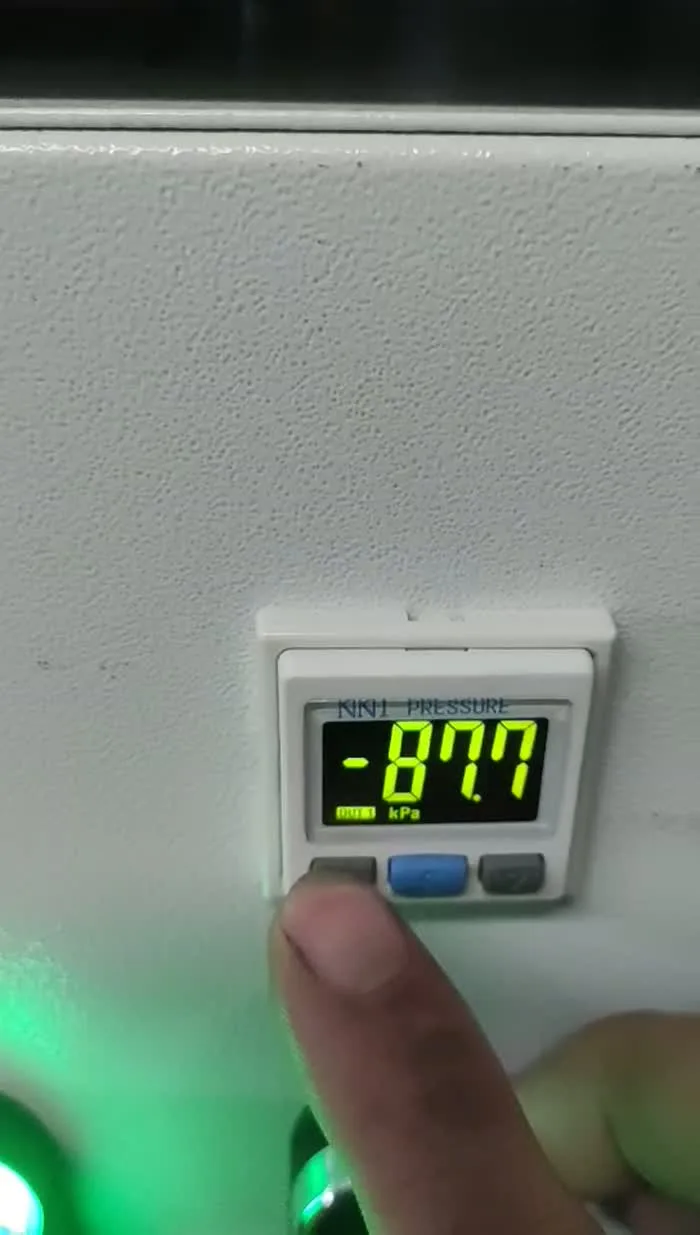
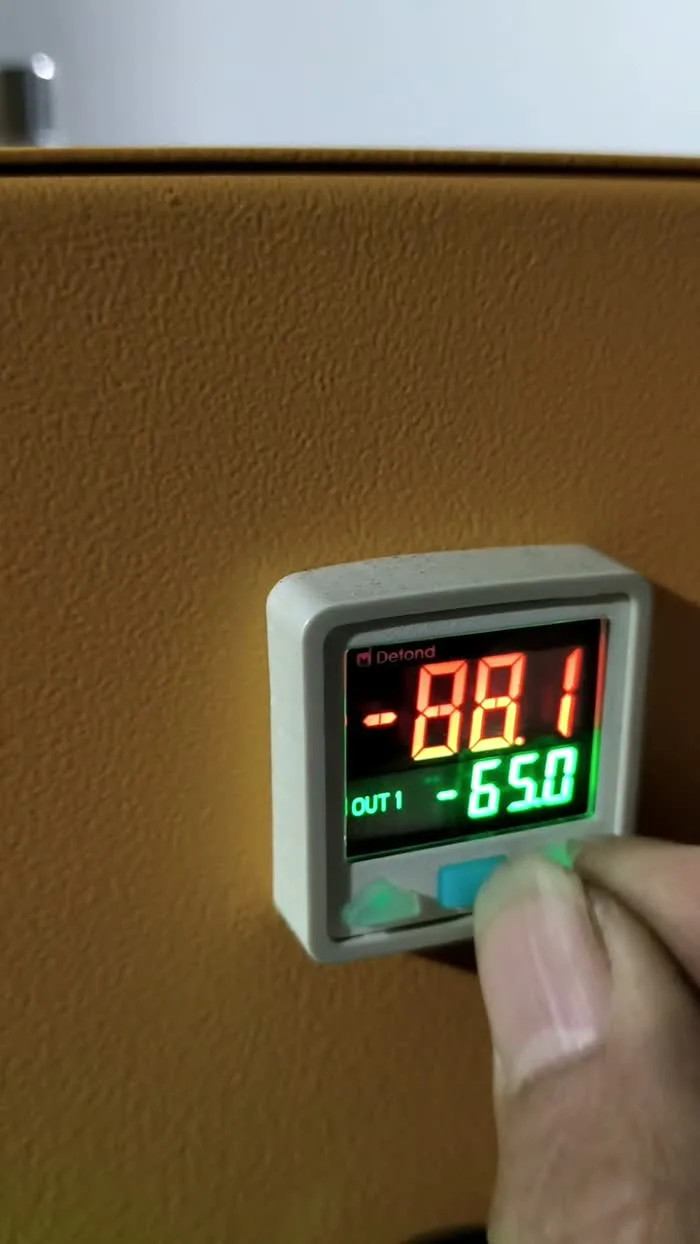
Understand the screen before pressing buttons
Item | Meaning | Practical consequence |
|---|---|---|
Measured pressure | The value presently measured at the sensor location | Record its sign and unit; it does not prove every pad is attached. |
Set value | A configured switching value, sometimes shown alternately or on a second line | It may be different from the measured reading. Photograph the full display. |
OUT1 / OUT2 | Electrical output states | Their machine functions depend on wiring and logic; neither universally means “safe to lift”. |
Hysteresis | A separation between switching points that prevents repeated switching near one point | It is not a leak-repair adjustment. |
Window comparator | Switching depends on a configured pressure range | Its low/high fields are not the same procedure as a single threshold with hysteresis. |
Colour / key lock | Configured indication / protection against key operation | A colour is not a universal safety state. A locked keypad is not proof of a failed sensor. |
Check the unit before comparing readings
The following are equivalent pressure differences. They explain the display only; they are not recommended operating settings.
kPa | MPa | bar |
|---|---|---|
−65 | −0.065 | −0.65 |
−75 | −0.075 | −0.75 |
Gauge pressure is referenced to local atmospheric pressure; absolute pressure is referenced to a vacuum. Do not compare an absolute reading directly with a negative gauge value. Photograph the unit symbol and sign as well as the number. A positive-pressure-only switch is not made suitable for vacuum merely by changing its displayed unit.
An error code is different from low vacuum
For the supplied NNT family, Er1/Er2 describe output over-current; Er3 concerns pressure remaining during a zero-clear operation. HHH/LLL concern pressure outside the display/range limits. Record the exact code and model, and let the technician use the matching manual. These labels are not a universal code list for every switch.
Zero clearing with vacuum applied can produce an incorrect reference. A reset or output-test function can alter how the machine controls its pump or warnings. Do not use zero clear, factory reset, forced output, wiring changes or auto-preset as a general cure.
When a setting genuinely needs to change
The service technician needs the approved machine settings and actual switch identity, not just a desired number. Record the existing units, mode, output logic, thresholds and hysteresis before authorized changes. Follow the matching device manual and machine verification procedure; check the resulting pump and warning behaviour before returning the equipment to service.
Read the alarm and altitude explanation · Record the current display and model
If someone has already changed a setting
Do not try to reconstruct the previous settings from another machine’s video. Keep the machine out of lifting service until the installed switch and approved configuration are verified. Preserve any before/after photographs, written set values, units, mode and output state; “changed −65” is incomplete without knowing which field was changed.
The technician must distinguish a display-unit change, a switching threshold, hysteresis, output inversion and a factory reset. These changes have different effects. Restore only documented values for this machine, then verify the machine’s pump and warning response—not just the numbers on the display.