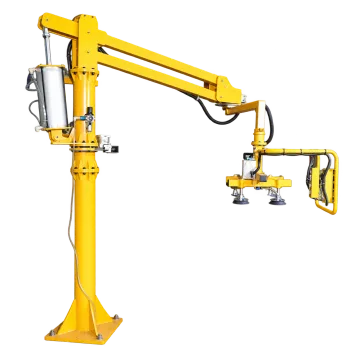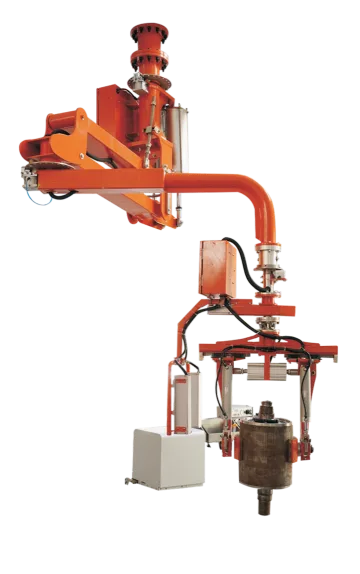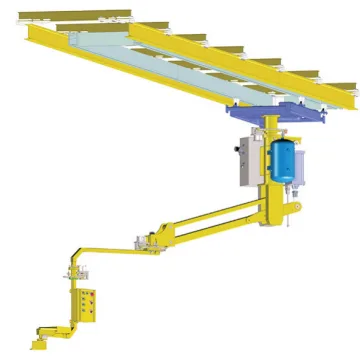
For assembly, the difficult step is often holding a component in the right orientation while it enters a fixture. Start with that placement task, then select the gripping tool, lifting mechanism and support. A higher lifting capacity does not by itself improve alignment or operator access.
Match the mechanism to the difficult movement
Need | Equipment example | What the documented configuration establishes |
|---|---|---|
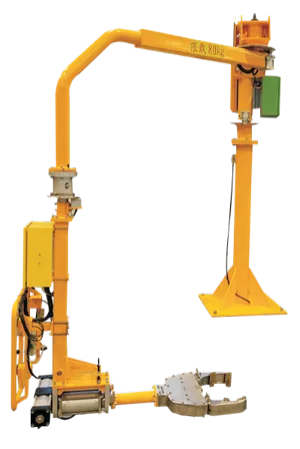
Guided movement with a rigid arm | 300 kg rating, 2.5 m jib length and pneumatic drive. The actual gripper and orientation functions remain part of the project scope. | |
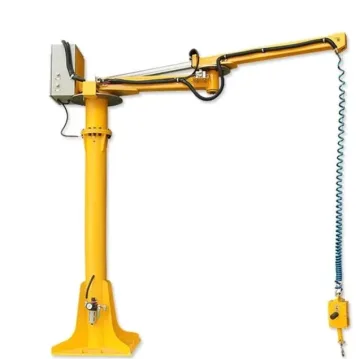
Cable-supported transfer around a column | 200 kg load, 1,500 mm vertical stroke and 500–2,500 mm working radius; minimum air supply 0.5 MPa. | |
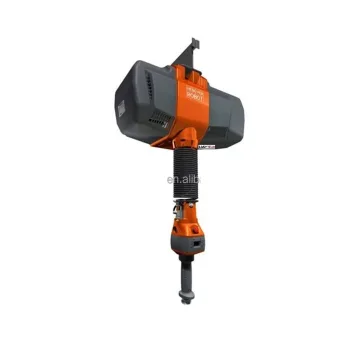
Float assistance for placement | 300 kg rating with float assistance throughout the travel; supporting structure and tool require their own selection. | |
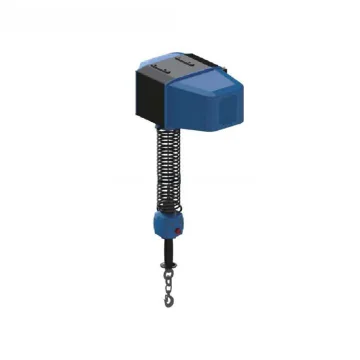
Up/down lifting | 250 kg electric hoist without float mode. Do not specify it as an intelligent balancing device. |
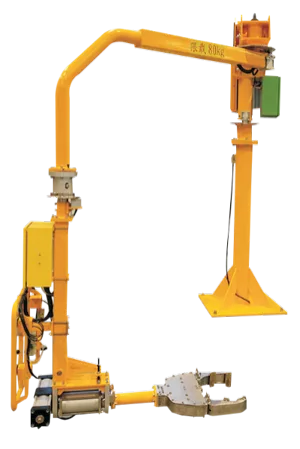
A tool changes the usable load and space
Show the gripping location and centre of gravity on the part drawing. Include tool mass, adapters, hoses and any offset between the load and lifting axis. A tool that reaches a recessed feature may introduce an offset that a simple centred hook does not have. Review the assembled tool and arm rather than treating the part mass as the only load input.
Compare mounting arrangements against the fixture
Model / configuration | Load | Minimum working radius B | Maximum working radius C | Lowest end position D | Highest end position E |
|---|---|---|---|---|---|
100 kg | 500 mm | 2500 mm | 460 mm | 1600 mm | |
100 kg | 450 mm | 2500 mm | 500 mm | 1700 mm | |
HAH-BM100 — Traveling Overhead Rigid-Arm Industrial Manipulator | 100 kg | 450 mm | 2500 mm | 500 mm | 1700 mm |
These are 100 kg rigid-arm configurations with fixed-column, fixed-overhead and traveling-overhead formats respectively. The shared 2,500 mm maximum radius does not make their installation envelopes interchangeable. Check both the inner unreachable area and the overhead structure.
Turn a production goal into a trial
Goal | How to define it before equipment selection |
|---|---|
Faster transfer | Measure pickup, travel, alignment and release separately; include tool or format changes. |
Controlled assembly | State the fixture opening, final orientation and positioning tolerance required by your process. |
Mixed parts | List the lightest/heaviest parts, centres of gravity and gripping changes. |
Operator access | Show the control position and hand access during the most constrained placement. |
Does float mode guarantee a positioning tolerance?
No. Float assistance describes a control function. The complete tool, load and fixture determine the placement task; a tolerance or cycle time needs a defined acceptance test.
Can a mobile column be moved with a load?
A mobile mounting description does not authorize loaded relocation. Obtain the prescribed working and relocation states for the selected assembly.
Details to include in your enquiry
Requirement | Details to provide |
|---|---|
Workpiece | Drawings, weight range, centre of gravity, grip/contact restrictions and variants. |
Motion | Pickup/placement coordinates, required reach, lift and change of orientation. |
Placement | Clearance, alignment and any required positioning tolerance. |
Installation | Layout, support structure, utilities, operator space and loading access. |
Choose the next step
Manipulator, balancer and hoist comparison · Intelligent balancer comparison