Control behavior before nominal capacity
The UP group provides up/down control without float mode; AS describes assisted float; FB describes float assistance throughout the travel. Select the behavior needed at the fixture, then review the end tool and supporting structure. No universal accuracy or speed follows from the group name.
Compare the published configuration
Selection point | |||
|---|---|---|---|
Rated load | 80 kg | 200 kg | 300 kg |
Control functions | Float assistance throughout the travel | Float assistance throughout the travel | Assisted float mode |
Mounting | Compatible jib / articulating jib system; structure requires separate calculation | Compatible jib / articulating jib system; structure requires separate calculation | Compatible jib / articulating jib system; structure requires separate calculation |
Equipment and intended application
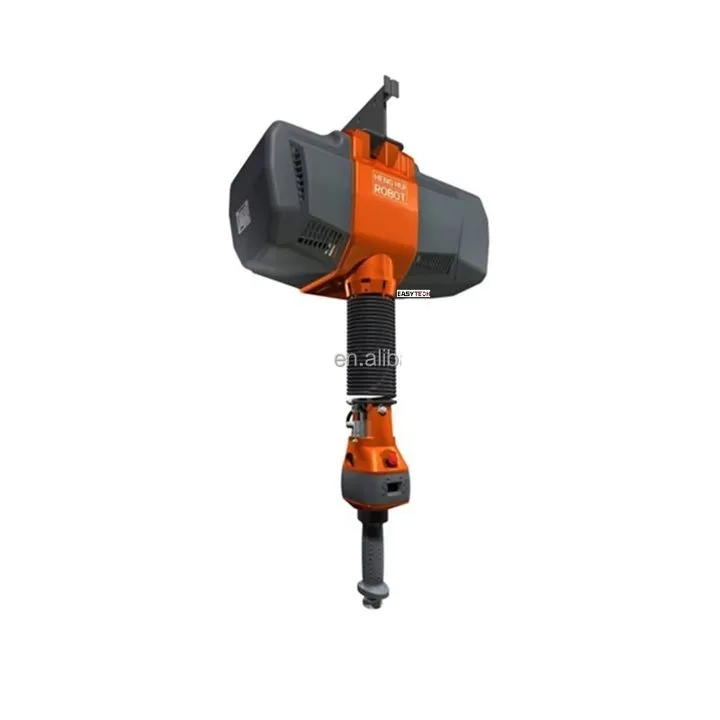
The selected lifting device assists vertical positioning from a compatible support system. Assisted-float, full-travel float and up/down-only versions have different operator interfaces. Use the control function explicitly listed for this model; a simple powered hoist is not automatically a balancing device.
Application and integration requirements
Topic | Details |
|---|---|
Required control | Choose whether the task needs float assistance for alignment or only powered raising and lowering. Explain how the operator holds and guides the part. |
Suspension and end tooling | Include the lifting tool in the supported mass and check headroom, working stroke and lateral coverage of the supporting jib or rail. |
Production cycle | Describe pickup/placement heights and required positioning accuracy. Rated load does not establish a particular speed, duty class or accuracy. |
Installation, inspection and service checks
Topic | Details |
|---|---|
Installation | Verify the support structure and approved end connection, install the specified power supply and commission unloaded before workpiece trials. |
Handling | Secure the tool to the workpiece, establish control, raise within the installed limits and fully support the part before release. |
Maintenance | Inspect the lifting element, handle, connections and travel limits. Stop if control response becomes erratic or a safety function fails. |
Troubleshooting priorities
Topic | Details |
|---|---|
Unexpected grip, motion or control behaviour | Stop with the workpiece supported. Inspect the affected connection, contact area and power or air supply, then follow the installed equipment instructions before returning to service. |
Replacement does not fit or changes performance | Check the component identity and system configuration. Do not modify interfaces or bypass protective functions to make a substitute fit. |
Frequently asked questions
What load should I use when selecting ET-IL-FB-80?
The stated rated load for ET-IL-FB-80 is 80 kg. Apply it only to the specified configuration and operating conditions. Include the workpiece geometry, orientation and any tooling in the application assessment; do not combine separate maximum reach, height and capacity values.
What determines compatibility?
Choose whether the task needs float assistance for alignment or only powered raising and lowering. Explain how the operator holds and guides the part.
What needs checking beyond the listed size or load?
Include the lifting tool in the supported mass and check headroom, working stroke and lateral coverage of the supporting jib or rail.
What defines the supplied configuration?
The specified model, listed technical arrangement and accepted options define the product. Project drawings, utilities, accessories and installation interfaces must describe the same configuration.
Information for application assessment
- Identify the workpiece material, dimensions, mass, contact surface and centre of gravity. Include the least favourable item in a mixed production range.
- Describe pickup and placement positions, required orientation changes, handling frequency and the site layout.
- Identify the available power or air supply and any host machine, crane, support structure or interface that must be retained.
- State the destination market and required documentation, accessories and packing constraints so the proposed configuration can be assessed as a complete system.
Document scope
This product specification supports equipment selection and project definition. It includes the model data and application guidance presented on the product page. The operating instructions supplied for the actual machine govern commissioning, testing, maintenance procedures and safe use; this specification does not replace them.